
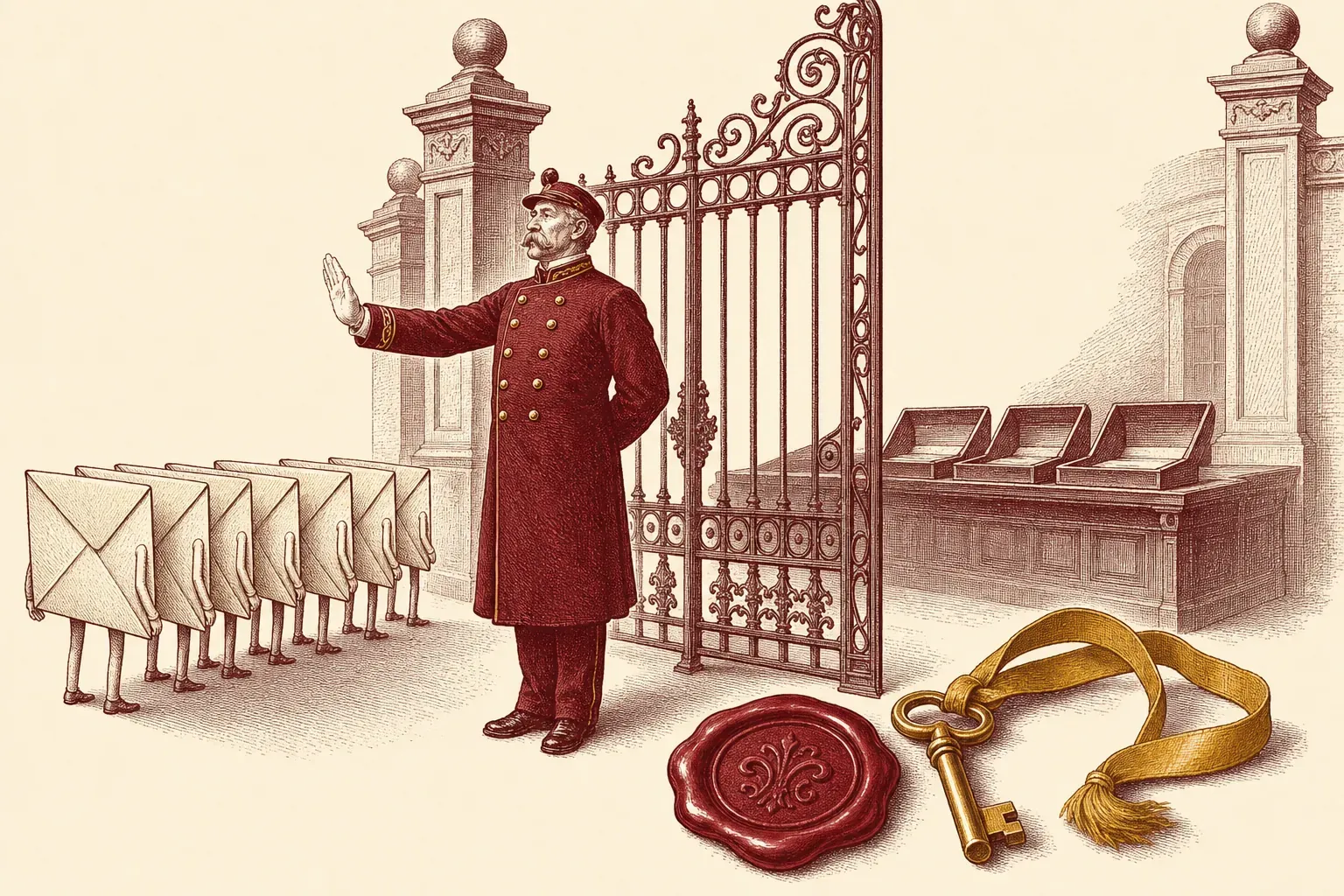
HEY now ships a 30-day free trial with no credit card required, which makes it the rare premium email service you can fully test before paying a cent. I set up a HEY account from scratch — claimed the address, fought through The Screener, sorted mail into the Imbox, the Feed, and Paper Trail, and wired up forwarding from an old Gmail — to map exactly what the first hour looks like and who should bother. Here’s the whole walkthrough, plus the honest case for staying put.
Start the Trial and Claim Your @hey.com Address
Go to hey.com and start the free trial — you get 30 days with no credit card required. During sign-up you claim your permanent @hey.com address, so pick deliberately and keep two or three fallbacks ready, because short and common names are long gone.
The sign-up itself is fast. Per HEY’s pricing page, the personal plan (HEY for You) runs $99/year with a 30-day free trial and no credit card required, which is generous — most paid email asks for a card up front. You’re not committing anything by starting.
The part that actually matters is the address. Your @hey.com handle is permanent for that account, and because HEY launched back in 2020, the obvious names are taken. When I signed up, my first three choices were gone before I landed on one I liked. Treat it like claiming a username: bring a shortlist, and consider a first-name-plus-initial or a memorable phrase rather than burning ten minutes hunting for a firstname@hey.com that vanished years ago.
One thing the sign-up screen won’t tell you: this is a brand-new mailbox, not a skin over your Gmail. Nothing from your old account comes with you yet. That’s by design, and it shapes everything below.
The Screener: Approving and Denying First-Time Senders
The first time anyone emails you, they land in The Screener instead of your inbox, and you decide whether to let them through. Approve once and their mail flows to the Imbox forever after; deny and they hear nothing back — HEY never notifies a screened-out sender.
The Screener is the feature that makes HEY feel different within the first ten minutes. Per HEY’s Screener page, “the first time someone emails you, you get to decide if you want to hear from them again.” New senders queue up in a separate screen, and you give each a thumbs up or thumbs down.
Two details matter in practice. First, your decision is private — HEY doesn’t send anything back to the sender, so screening someone out is indistinguishable to them from you simply not replying. No awkward bounce, no notification. Second, it’s reversible: your Screener history keeps a record, and if you later approve someone you’d screened out, HEY surfaces any mail they sent in the last 90 days. That safety net is what let me be aggressive early — deny first, recover later if I was wrong.
The honest catch is that The Screener has a front-loaded cost. For the first week you’re approving a steady trickle of legitimate senders — your bank, your boss, that one service you forgot you used. Budget for it. After ten days or so the queue goes quiet and the payoff lands: nothing unknown reaches your inbox without your say-so.
If the idea of vetting every first-time sender sounds like more friction than you want, that’s a fair reason to look at a traditional desktop client instead — something like Mailbird keeps your existing Gmail, Outlook, and other addresses exactly as they are and unifies them in one window, without asking you to adopt a new address or a new gatekeeping ritual. HEY’s walled garden is the whole point for some people and the dealbreaker for others.
Imbox vs Feed vs Paper Trail
HEY splits mail into three destinations instead of one inbox: the Imbox for email you actually want to read, the Feed for newsletters and long reads, and Paper Trail for receipts and transactional clutter. You assign each approved sender to one of the three.
This is the second big mental shift, and it’s worth getting right during setup. Per HEY’s features overview, the three buckets are:
- The Imbox — “It’s not a typo.” This is the focused inbox: only email from people and services you genuinely care about. No receipts, no newsletters, no noise.
- The Feed — described as “a love letter to newsletters.” Subscriptions and long reads stream here, already opened, newest first, like scrolling a social feed instead of staring down an unread count.
- Paper Trail — the holding pen for receipts, order confirmations, and transactional email. Accessible when you need a receipt, invisible the rest of the time.
When you approve a sender out of The Screener, you also tell HEY which bucket their mail belongs in. Doing this thoughtfully on day one is what pays off later — get your newsletters into the Feed and your Amazon receipts into Paper Trail, and the Imbox stays genuinely calm. Skip it, and you’ve just rebuilt a cluttered Gmail with extra steps. If you’re juggling several addresses across services, our guide to managing multiple email accounts covers the broader sorting strategy.
Importing and Forwarding Your Existing Mail
HEY gives you a fresh @hey.com address rather than connecting to your Gmail or Outlook, so old mail doesn’t appear automatically. The migration path is to forward your existing provider to your new HEY address and update your logins gradually, running both inboxes in parallel for a few weeks.
This is the step people underestimate, and the most common reason a HEY trial fizzles. Because HEY is a new mailbox and not a connected client, years of Gmail history don’t come with you. There’s no “log in with Google and pull everything in” button — that’s a deliberate design choice tied to HEY’s privacy stance and walled-garden model.
What I did, and what works: set up forwarding from the old Gmail account to the new @hey.com address so nothing important is missed during the trial, then start methodically updating logins, contacts, and newsletter subscriptions to point at HEY. Run both inboxes side by side for two to four weeks. By the end you’ll know whether the new address has become your real one or whether you keep drifting back to Gmail out of habit.
The reason this matters for your decision: if your workflow depends on having every old thread instantly searchable in one place, HEY’s clean break is a genuine cost. A traditional client that connects to all your existing accounts — see our roundup of the best app for multiple email accounts — keeps that history intact while still unifying your inboxes. HEY trades that continuity for a fresh start. Whether that’s freeing or frustrating depends entirely on you.
Who HEY Is For vs a Traditional Client
HEY suits people who want a calmer, opinionated inbox and will adopt a new permanent address and pay around $99/year. A traditional desktop client suits people who want to keep their existing Gmail and Outlook addresses, their full mail history, and deep third-party integrations.
After setting it up, the split is clear. HEY makes sense if you’re tired of fighting your inbox, you like strong defaults made for you, and you value privacy enough to pay for it. The Screener plus the Imbox/Feed/Paper Trail split genuinely reduces noise in a way no amount of Gmail filters quite matches, because the structure is built in rather than bolted on.
A traditional client makes more sense if you have multiple addresses you can’t or won’t abandon, you need years of searchable history, or you rely on integrations — calendars, CRMs, shared mailboxes — that a walled garden doesn’t support. In that case the goal isn’t a new address; it’s unifying the ones you already have. Our picks for the best email clients on Windows and the best email clients on Mac cover the strongest options, and our Mailbird vs eM Client comparison is a good starting point if you’re choosing between the two leading multi-account desktop apps.
The cleanest way to decide is the trial itself: it costs nothing for 30 days, so set it up properly, live in it for a fortnight, and see whether the calm sticks.
Verdict
HEY is a fresh, opinionated email service from 37signals built around The Screener and a three-way Imbox/Feed/Paper Trail split, with a 30-day free trial and a ~$99/year price. It’s excellent for a clean start, but it’s a walled garden that won’t import your old Gmail history.
Setting up HEY takes about an hour of real attention — claim the address, work The Screener for the first week, sort senders into the three buckets, and forward your old mail in. Do that and you get one of the calmest inboxes available, with privacy and strong defaults baked in rather than configured. Skip the setup work and you’ll bounce off it inside a week.
The decision really comes down to one question: do you want a fresh, controlled start, or do you want to keep and unify what you already have? HEY is the former, unapologetically.
Best for: people who want a calmer, privacy-first inbox and are happy to adopt a new permanent @hey.com address and pay annually. Skip if: you need to keep your existing Gmail or Outlook addresses, want your full mail history searchable, or rely on a traditional client unifying multiple accounts.

Alexis Dollé, email expert for 10+ years. Founder of Email Tools. I test every email client and utility myself, then write about them the way I’d explain them to a friend — no marketing fluff, no sponsored rankings, every claim sourced.
LinkedInSources & references
- HEY, “Pricing.” HEY for You personal plan at $99/year with a 30-day free trial and no credit card required; Families plan $179/year for up to 5 people; HEY for Domains at $12/user/month. Accessed 2026-06-10. hey.com/pricing
- HEY, “The Screener.” First-time senders land in The Screener; you decide whether to hear from them again; screened-out senders are not notified; approving a sender later surfaces any mail they sent in the last 90 days. Accessed 2026-06-10. hey.com/features/the-screener
- HEY, “Features.” Names and describes the Imbox (“It’s not a typo”), the Feed (“a love letter to newsletters”), and Paper Trail for receipts and transactional email. Accessed 2026-06-10. hey.com/features
- HEY, Home page. HEY is designed, built, and backed by 37signals (makers of Basecamp); core pitch and the feature names Screener, Imbox, Paper Trail, and Feed. Accessed 2026-06-10. hey.com
Frequently Asked Questions
How much does HEY email cost and is there a free trial?
HEY’s personal plan (HEY for You) costs around $99 per year, billed annually — confirm the current figure on hey.com before you sign up. There is a 30-day free trial with no credit card required, so you can test the full product before paying. HEY also offers a Families plan around $179/year for up to five people and a business plan (HEY for Domains) at roughly $12 per user per month. There is no free forever tier; after the trial it’s pay or close the account.
What is The Screener in HEY?
The Screener is HEY’s gatekeeper for first contact. The first time someone emails you, their message lands in The Screener rather than your inbox, and you decide whether to hear from them again. Approve them and their mail flows to your Imbox going forward; deny them and you simply never see it. HEY doesn’t send anything back to a screened-out sender, so your decision stays private. You can reverse a decision later from your Screener history, and HEY will surface any mail that sender sent in the previous 90 days.
What’s the difference between the Imbox, the Feed, and Paper Trail?
HEY replaces a single inbox with three destinations. The Imbox (not a typo) is for email you actually want to read — from important people and the services you care about. The Feed is a casual, scrollable stream for newsletters and long reads, presented like a social feed rather than unread-count guilt. Paper Trail is a holding pen for receipts, confirmations, and other transactional clutter, kept accessible but out of your face. You assign each new approved sender to one of the three.
Can I import or forward my old email into HEY?
HEY gives you a brand-new @hey.com address rather than connecting to your existing Gmail or Outlook account, so your old mail does not appear automatically. The practical migration path is to set up forwarding from your current provider to your new HEY address, then gradually update your logins, contacts, and newsletters to the new address. Plan to run both inboxes in parallel for a few weeks so nothing slips through before you fully switch.
Who makes HEY and is my data private?
HEY is designed, built, and backed by 37signals, the company behind Basecamp, and launched in 2020. Its pitch is that mainstream email providers got complacent, and its design leans hard into user control and privacy — The Screener blocks unwanted first contact, and HEY strips spy-pixel tracking from newsletters by default. It is a paid service with no advertising model, which is the structural reason its incentives differ from free, ad-supported inboxes.
Is HEY worth switching to from Gmail?
HEY is worth it if you want a calmer, opinionated inbox and you’re willing to adopt a new permanent address and pay around $99/year. The Screener and the Imbox/Feed/Paper Trail split genuinely reduce noise. The trade-offs are real: it’s a walled garden, you can’t easily bring years of Gmail history with you, and you lose the deep third-party integrations of a mainstream account. If you’d rather keep your existing addresses, a traditional desktop client that unifies multiple accounts is the better fit.
Related: the best email clients for Windows, the best app for multiple email accounts, and Mailbird vs eM Client.