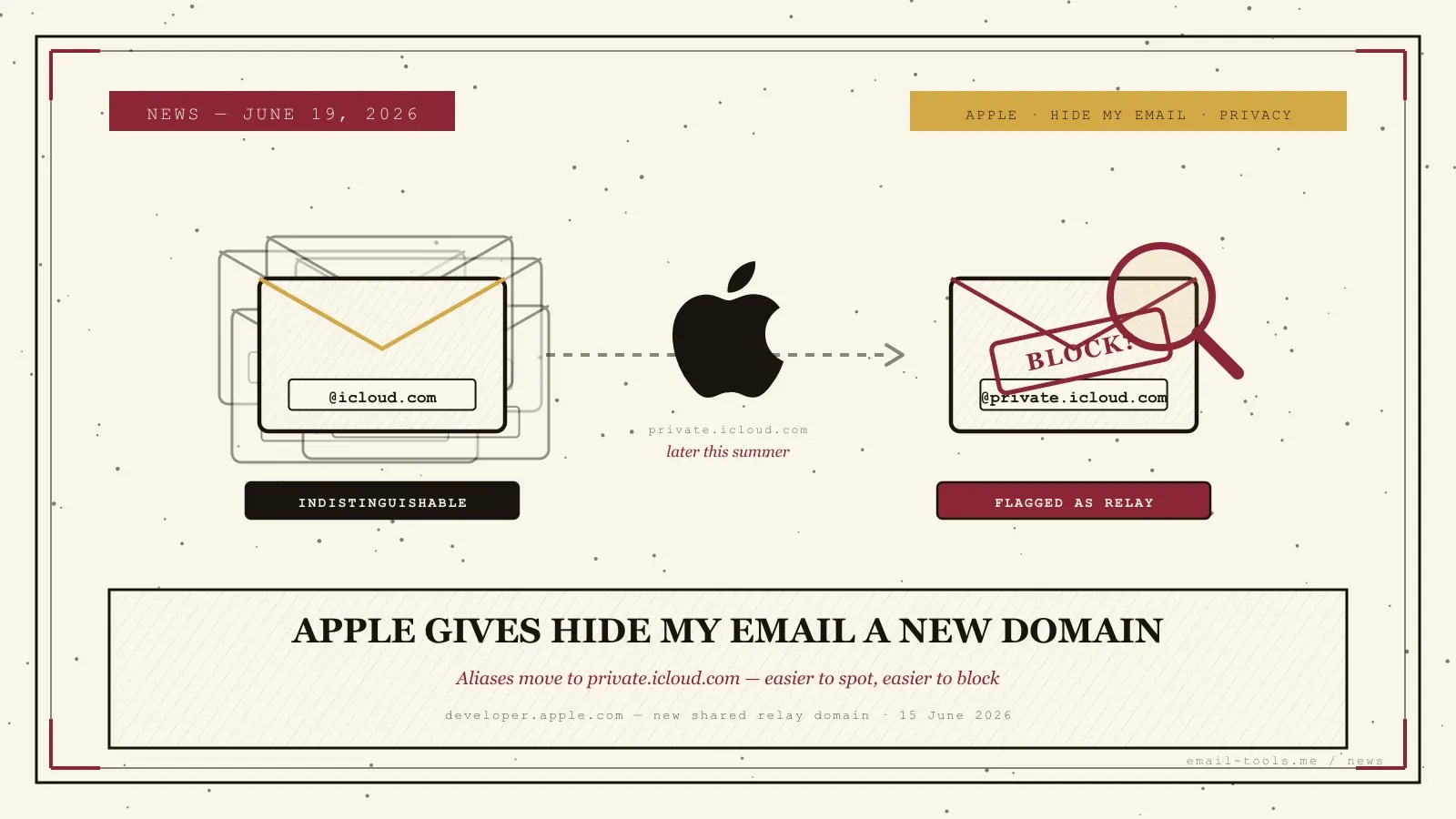
Apple is about to make its most popular privacy feature easier to spot. In a developer note published June 15, 2026, Apple confirmed it will move Hide My Email and Sign in with Apple onto a single shared domain — private.icloud.com — “later this summer.” The mechanics sound like housekeeping, but the side effect is real: an Apple alias that used to blend in with every other @icloud.com address will now wear a label that says “this is a relay.” Here’s exactly what changes, and what it means if you lean on Hide My Email to keep your real address out of signup forms.
What Apple actually announced
Apple is consolidating two separate relay domains into one. Hide My Email aliases, previously issued on @icloud.com, will be issued on @private.icloud.com; Sign in with Apple addresses move from privaterelay.appleid.com to the same new domain. Apple says existing addresses “will continue to work and forward mail to users without interruption,” and the switch starts later this summer.
The change itself is narrow. In its developer announcement, Apple frames it as unifying “the email domains used by Sign in with Apple and iCloud+ Hide My Email under a single, shared domain.” Nothing about how the aliases forward mail is changing, and Apple is explicit that legacy addresses keep working. What’s new is purely the domain on freshly generated aliases — and Apple declined to explain its rationale when TechCrunch asked. The reporting landed across the Apple press on June 15–17, from 9to5Mac to Help Net Security, with a consistent read: small change, awkward consequence.
Why it matters for your inbox
Hide My Email’s strength was that an alias looked like an ordinary iCloud address, so a website couldn’t tell you were hiding your real one. A dedicated @private.icloud.com domain removes that camouflage — services can now detect the relay at a glance and block signups on it. Your forwarded mail still arrives; the anonymity at the registration gate is what gets thinner.
This is the same trade-off every alias tool lives with. The reason a disposable or relay address is useful for signups is that it shields your primary inbox from leaks and spam — but the moment a provider can fingerprint the relay domain, sites that don’t want anonymous accounts can refuse it. That’s already routine for dedicated alias services on their own domains; Apple’s edge was that @icloud.com gave its users cover the others never had. Users on Reddit were quick to call it out, and TechCrunch notes the change arrives against a backdrop of Apple having previously turned over information tied to a Hide My Email address during a federal investigation. It’s a quieter cousin of the privacy-versus-convenience tension we saw when Fastmail drew a line against AI reading the inbox earlier this month.
What you should do about it
For most people: nothing. Existing aliases keep forwarding automatically. The practical move is to keep an older @icloud.com alias as a fallback for sites that reject the new domain, and — if you run your own filters — make sure private.icloud.com is on your allow list so new-alias mail doesn’t get caught.
There’s no setting to toggle and no migration to run — this is server-side, and your current aliases are untouched. I generate a Hide My Email alias for almost every new signup, so I went and checked mine: the existing @icloud.com addresses are exactly where they were, and there’s genuinely nothing to switch on. The one thing worth doing is preparing for friction: if you create a new Hide My Email alias after the switch and a signup form rejects it, that’s the new domain being blocklisted, not a bug. An older @icloud.com alias, or an Apple Mail alternative with its own privacy approach, gives you a second path. And if you manage your own inbox rules, suppression lists or a self-hosted setup, take Apple’s ESP guidance literally: add private.icloud.com to anywhere you enumerate relay domains, or forwarded mail to brand-new aliases could be misrouted. The aliases you already use to keep your real address off marketing lists are safe — it’s only the next ones you generate that wear the new label.

Alexis Dollé, email expert for 10+ years. Founder of Email Tools. I test every email client and utility myself, then write about them the way I’d explain them to a friend — no marketing fluff, no sponsored rankings, every claim sourced.
LinkedInFrequently asked questions
What is Apple changing about Hide My Email? — new aliases move to a private.icloud.com domain
In a developer note published June 15, 2026, Apple said it will unify the email domains behind Sign in with Apple and iCloud+ Hide My Email under one shared domain: private.icloud.com. New Hide My Email aliases, which were issued on @icloud.com, will be issued on @private.icloud.com, and Sign in with Apple addresses move from privaterelay.appleid.com to the same new domain. Apple says the rollout begins “later this summer”.
Will my existing Hide My Email addresses stop working? — no, they keep forwarding
No. Apple states explicitly that “existing addresses on the legacy domains will continue to work and forward mail to users without interruption.” Aliases you already created on @icloud.com keep delivering to your real inbox. The change only affects the domain used for newly generated addresses.
Why are people calling this a privacy downgrade? — the new domain makes aliases identifiable
Hide My Email’s privacy worked partly because an alias on @icloud.com was indistinguishable from a regular iCloud user’s address — a website couldn’t tell whether you were hiding your real email. Putting new aliases on a dedicated @private.icloud.com domain makes them obvious, so a site can detect the relay domain and refuse the signup. The mail still forwards; the anonymity at the point of registration is what weakens.
Could a website block me for using a private.icloud.com address? — yes, that’s the main concern
Yes, that is the core concern raised by TechCrunch and echoed by users on Reddit. Because the new domain clearly flags an address as an Apple relay, any service that wants to bar anonymous or disposable signups can add private.icloud.com to a blocklist and reject registrations on it. Existing @icloud.com aliases are harder to single out, so they’re less exposed to this.
Do I need to do anything as a user? — no, but keep an older alias as a fallback
Nothing is required. Your existing aliases keep working automatically. If you create new Hide My Email aliases after the switch and hit a signup that rejects them, keep an older @icloud.com alias as a fallback, or use an alias service on a neutral-looking domain. It’s also worth checking that important alias mail isn’t being filtered if you maintain your own suppression or allow lists.
What should email service providers and developers do? — add private.icloud.com to allow lists and filters
Apple tells developers using Sign in with Apple to make sure account systems, email-validation logic and allowlists accept the new private.icloud.com domain alongside the legacy privaterelay.appleid.com and icloud.com. It tells email service providers to update any domain-based filtering, suppression lists or routing rules that enumerate relay domains so private.icloud.com is included — otherwise forwarded mail to new aliases could be misrouted or dropped.
Sources
- Apple Developer — “New domain for Sign in with Apple and iCloud+ Hide My Email”, 15 June 2026 (primary: unification under shared domain private.icloud.com; Sign in with Apple moves from privaterelay.appleid.com, Hide My Email moves from icloud.com; “existing addresses on the legacy domains will continue to work and forward mail to users without interruption”; rollout “later this summer”; developer + ESP guidance to add the new domain to allowlists, validation logic, domain-based filtering, suppression lists and routing rules)
- TechCrunch — “Apple plans to change its Hide My Email privacy feature that could make it less effective”, 16 June 2026 (privacy concern: anonymous addresses were indistinguishable from regular iCloud accounts on @icloud.com; a distinct domain lets sites identify and block them; Apple declined to comment on the rationale; context that Apple previously turned over information tied to a Hide My Email address during a federal investigation; Reddit criticism)
- 9to5Mac — “Sign in with Apple and Hide My Email are getting a new shared email domain”, 15 June 2026 (corroboration of the domain consolidation and backward compatibility of legacy addresses)
- Help Net Security — “Apple is bringing Hide My Email and Sign in with Apple under one domain”, 17 June 2026 (ESP/deliverability framing: update domain-based filtering, suppression lists and routing rules to include private.icloud.com; user worry that websites could block registrations on the new domain)
- MacRumors — “Apple to Unify Sign in With Apple and Hide My Email on One Domain”, 15 June 2026 (independent corroboration of the private.icloud.com unification and timeline)