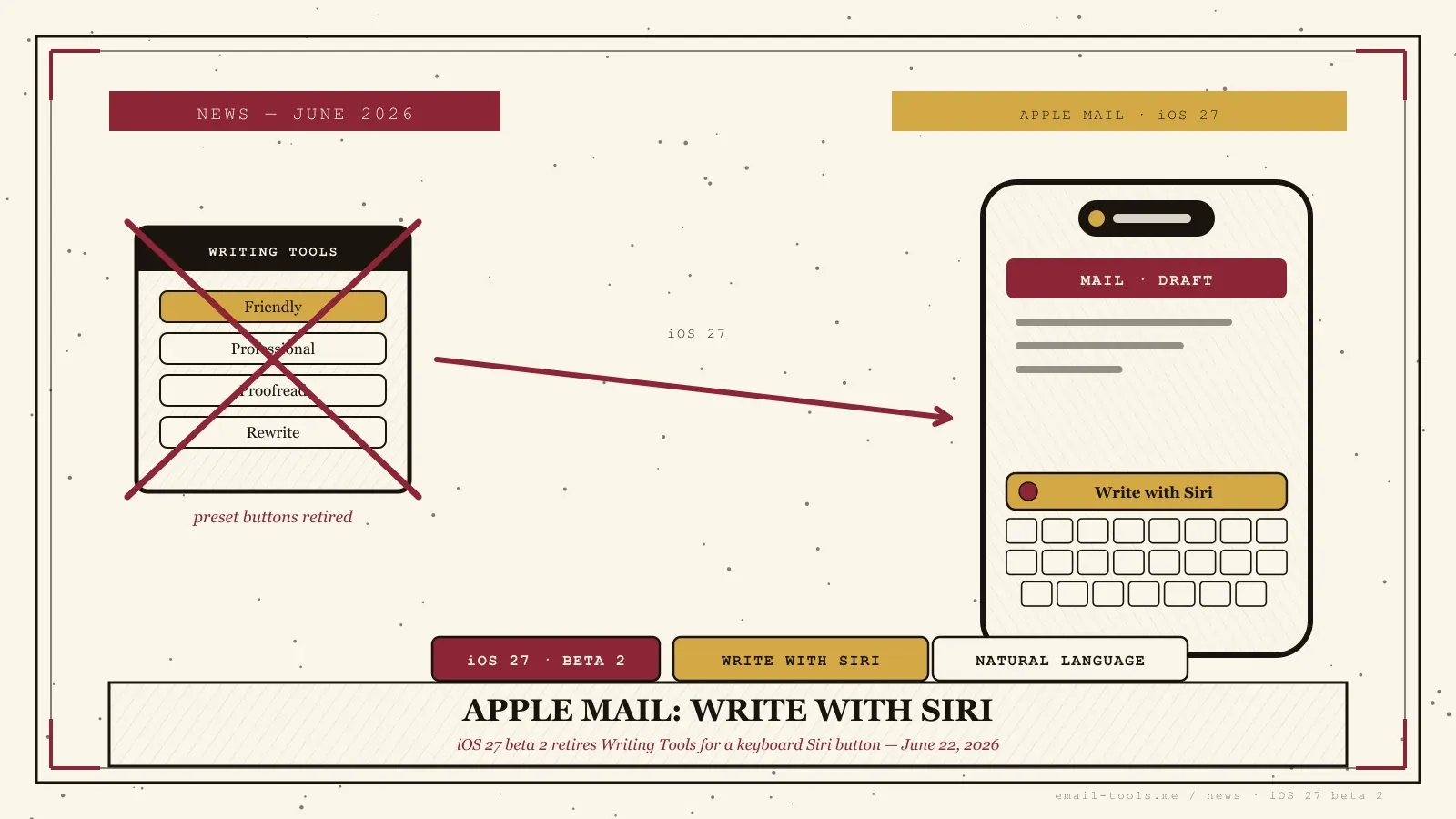
Apple quietly rewired how you write email on the iPhone. In iOS 27 beta 2, released to developers on June 22, 2026, the Writing Tools panel that shipped with Apple Intelligence is gone — replaced by a keyboard-level Write with Siri button that now sits right above the keyboard in Apple Mail. Reported by 9to5Mac and MacRumors, it’s a small interface change with a real consequence for how you draft, proofread, and rewrite messages. Here’s what actually changed.
What changed in Apple Mail
iOS 27 beta 2 removes the standalone Writing Tools panel and replaces it with Write with Siri, a button that appears above the keyboard in Mail, Notes, Messages, and other text fields. Instead of picking from preset style buttons, you type a natural-language instruction and Siri rewrites your email text accordingly.
The old Writing Tools, introduced with the first wave of Apple Intelligence in iOS 18, gave you a fixed menu — dedicated buttons for styles like Friendly and Professional, plus proofread and summarize. Per 9to5Mac, those preset buttons are gone. In their place, tapping Write with Siri expands an input field from the Dynamic Island, where you describe in plain language what you want done to the current text. According to MacRumors, the button now lives above the keyboard in Mail rather than only appearing after you select text — a discoverability fix from the first beta, where it was tucked behind a selection.
What Write with Siri can do to your email
Write with Siri can generate new text from a prompt, proofread an existing draft, and rewrite a message into a different style — and because it’s wired into Siri’s personal context, it can pull details from your messages, email, and documents to tailor the result.
That context link is the substantive upgrade, not the button placement. The old Writing Tools rewrote whatever text you fed it in isolation. GSMArena notes the new system is “fully integrated with Siri” and can “use info from messages, email and other documents” — so a reply you ask it to draft can reference what the other person actually said earlier, not just the words on screen. The same Write with Siri capability is rolling out on macOS and iPadOS 27, so the behavior carries across the Mail apps you use on every Apple device.
What it means if you write email on iPhone
If you used the Friendly or Professional buttons to clean up emails, that exact workflow is gone — you’ll describe the change in words instead. The trade is a slightly higher learning curve for more flexible, context-aware rewrites. It’s beta-only for now, so don’t expect it on your daily phone until fall 2026.
I’ve leaned on Writing Tools to soften terse replies before sending, and losing the one-tap Friendly button is a genuine adjustment — typing “make this warmer but keep it short” is more work than tapping a preset. But the pay-off is real: because Write with Siri can see the thread context, the rewrites land closer to what I actually meant. This is the second iOS 27 Mail change in a month, following the rebuilt Mail search and Smart Reply shown at WWDC and Apple’s separate Hide My Email domain shift. Remember it’s developer-beta software: GSMArena expects the stable release in September 2026. If you’d rather not wait — or you want AI drafting that isn’t locked to Apple Intelligence hardware — a third-party Mac email client or one of the Apple Mail alternatives already offers its own take on assisted writing today.

Alexis Dollé, email expert for 10+ years. Founder of Email Tools. I test every email client and utility myself, then write about them the way I’d explain them to a friend — no marketing fluff, no sponsored rankings, every claim sourced.
LinkedInFrequently asked questions
What replaced Writing Tools in Apple Mail? — Write with Siri
In iOS 27 beta 2, released June 22, 2026, Apple replaced the standalone Writing Tools panel with Write with Siri. Instead of a menu of preset style buttons, you now tap a Write with Siri button above the keyboard in Mail, Notes, Messages, and other text apps, then type a natural-language instruction for what you want done to the text.
What happened to the Friendly and Professional tone buttons? — removed
The dedicated preset buttons from the old Writing Tools — including style options like Friendly and Professional — have been removed. You now describe the tone or change you want in your own words, and Siri rewrites accordingly, rather than picking from fixed buttons.
Does Write with Siri work when composing an email? — yes, above the keyboard
Yes. MacRumors reports the Write with Siri button now sits above the keyboard in Mail, so it surfaces while you draft. In the first beta it only appeared after you selected text; beta 2 makes it visible as a keyboard suggestion before you start typing, which makes it easier to find mid-compose.
What can Write with Siri actually do to my email text? — generate, proofread, rewrite
It can generate new text from a prompt, proofread what you’ve written, and rewrite a draft into a different style. Because it’s tied into Siri’s personal context, it can pull in information from your messages, email, and documents to tailor the result — something the old Writing Tools couldn’t do.
When does iOS 27 ship to everyone? — public beta July, stable in fall 2026
iOS 27 is in developer beta now, with a public beta expected in July 2026 and a stable release in fall 2026 — likely September, alongside the new iPhone lineup. Write with Siri is also rolling out on macOS and iPadOS 27.
Do I need a specific iPhone for Write with Siri? — yes, Apple Intelligence required
Yes — it’s an Apple Intelligence feature, so it requires an Apple Intelligence-capable iPhone. Older models that can install iOS 27 but don’t support Apple Intelligence won’t see the Write with Siri button in Mail or anywhere else.
Sources
- 9to5Mac — “iOS 27 beta 2 includes Write with Siri, the new version of Apple Intelligence writing tools”, 22 June 2026 (Write with Siri supersedes the standalone Writing Tools from iOS 18 Apple Intelligence; preset style buttons such as Friendly and Professional removed; Write with Siri button appears in the keyboard suggestions bar; tapping it expands an input field from the Dynamic Island for a natural-language instruction; can generate new text, proofread, and rewrite into another style; tightly integrated with Siri for personal context; available on iOS 27, macOS, and iPadOS 27; public beta July, stable release fall 2026)
- MacRumors — “Everything New in iOS 27 Beta 2” (new Write with Siri button above the keyboard in Notes, Mail, Messages, and more; in beta 1 the tool was only available when selecting text; beta 2 makes it more discoverable as a keyboard suggestion; iOS 27 beta 2 released Monday, June 22, 2026)
- GSMArena — “iOS 27 beta 2 adds Write with Siri, inline reply support for RCS messages and more”, 23 June 2026 (Write with Siri replaces the standalone Writing Tools; a shortcut appears on the keyboard to write, proofread, and rewrite; fully integrated with Siri AI, able to use info from messages, email and other documents; stable release expected September alongside new iPhone models)