If you belong to a company, school, or community mailing list on Google Groups, the rules just changed. On June 24, 2026, Google began rolling out stricter internal and external classifications for Google Groups — closing a long-standing loophole that let outside addresses sit inside groups marked “internal only.” Announced on the Google Workspace Updates blog, it’s a data-security tightening with real consequences for who can join your lists and who can see your group’s mail. Here’s what actually changed.
What Google changed for Google Groups
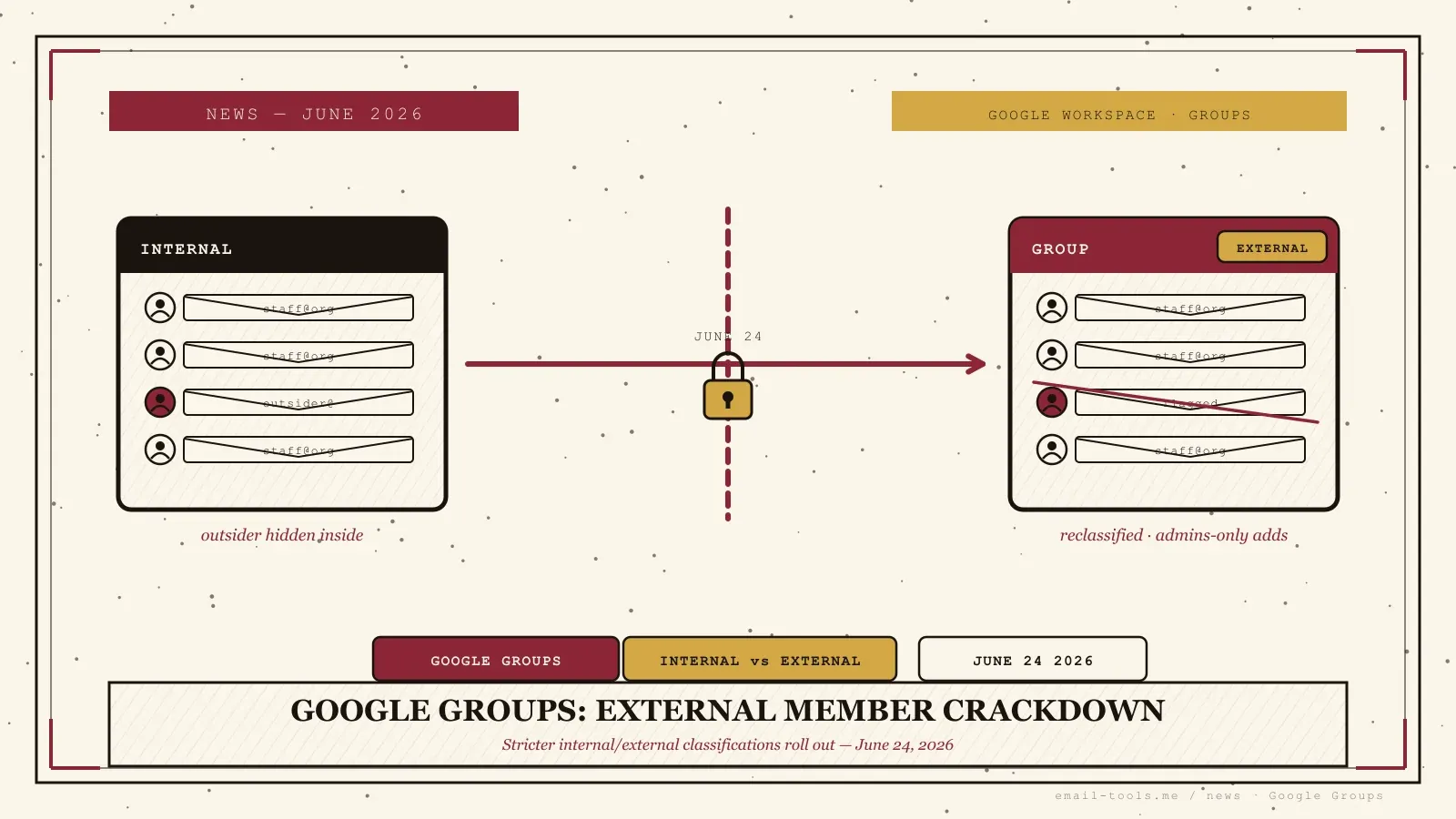
Starting June 24, 2026, a Google Group whose “Allow members outside your organization” setting is turned off can no longer contain any external members. Groups that currently hold an outside address are automatically reclassified as external, a new sub-setting decides whether end users or only admins can add external people, and Google adds clearer visual indicators showing which groups contain outsiders.
Until now there was a gap in the model. A group could have “Allow members outside your organization” switched off — marked internal — yet still contain external addresses added directly by an admin, inherited through a nested external group, or left behind when a group was flipped from external to internal. Per Google Workspace Updates, that behavior “will no longer be supported.” Internal now genuinely means internal.
To avoid breaking anything, Google isn’t kicking anyone out. Per the official admin help doc, “if an internal group has any external members, whether added directly or indirectly through a nested group, it will be classified as external to preserve those existing external memberships.” Those reclassified groups get a new sub-setting that lets admins restrict external additions to admins only. The change is available to all Google Workspace customers and is rolling out now, with expected completion by July 1, 2026 across both Rapid Release and Scheduled Release domains.
Why external members in “internal” groups were a problem
An “internal-only” group that quietly held an outside address was a silent data-exposure and phishing risk: sensitive internal threads could reach someone outside the organization, and external senders could blend into a list everyone assumed was staff-only. Google’s fix adds visible external-member indicators and changes how emails are shown within Groups so outsiders are easier to spot.
This is the same trust problem that’s been driving Outlook’s external-sender tags into inbox rules and Google’s broader fraud and scams advisory work: you can’t defend against a sender you can’t identify. A mailing list labelled “internal” that secretly forwards to an outside Gmail account is exactly how confidential threads leak — and how a convincing phishing message can land inside a trusted channel. The February 2026 spec also tightened the APIs: attempts to add an external member to an internal group through the Admin SDK Directory API now get rejected outright, so the loophole can’t be reopened by a script. The enforcement reaches across Gmail, Chat, Calendar, the Admin console and the Groups Settings API — anywhere a group’s membership is read or written.
What it means if you’re on a Workspace mailing list
If you only use Gmail for personal mail, nothing changes. If you belong to a Workspace group, you keep your access — Google confirms no members are removed in the transition — but expect your list to be relabelled internal or external, and don’t be surprised if you can no longer add outside collaborators yourself. That power may now sit with your admin.
I’ve administered Google Groups for community mailing lists for years, and the old behavior — an “internal” group quietly holding one outside address — is precisely the kind of thing you never notice until a security audit surfaces it. So the cleanup is welcome, even if the rollout will generate a wave of “why can’t I add this person anymore?” tickets for admins. The practical takeaway: regular users need to do nothing, but if you’ve been the unofficial person who adds external partners to a team list, check whether that’s still allowed before you promise someone access. Google says admins should “review and adjust these labels directly in the Admin console or via the Groups Settings API” — so if a list you rely on suddenly behaves differently after July 1, that’s where the answer lives. For the bigger picture on how spoofing and impersonation slip past these boundaries, our breakdown of the Exchange “ghost sender” flaw shows why provider-level identity controls matter more every month.

Alexis Dollé, email expert for 10+ years. Founder of Email Tools. I test every email client and utility myself, then write about them the way I’d explain them to a friend — no marketing fluff, no sponsored rankings, every claim sourced.
LinkedInFrequently asked questions
What is changing with Google Groups external members? — internal groups can no longer hold outsiders
As of June 24, 2026, Google is enforcing stricter internal and external classifications for Google Groups. A group whose “Allow members outside your organization” setting is turned off can no longer hold external members at all. Any internal group that currently has an outside address is automatically reclassified as external so existing members keep their access, and going forward a new sub-setting controls whether end users — or only admins — can add external people.
Will I lose access to a mailing list I’m on? — no, no members are removed
No. Google states there are no membership removals during the transition. If you’re an external member of a group that was technically marked internal, the group is reclassified as external instead of dropping you. You keep receiving and sending mail to that list.
Why did Google make this change? — to close a data-leak and phishing loophole
An “internal-only” group that quietly contained an outside address was a data-exposure and phishing risk — sensitive internal threads could reach someone outside the company without anyone noticing. Google is closing that loophole and adding clearer visual indicators so admins can see at a glance which groups contain external members.
Do I need to do anything as a regular user? — no, the work falls on admins
Nothing. Google says end users require no action. The work falls on Workspace admins, who should review the new external/internal labels in the Admin console or via the Groups Settings API and decide whether end users may add external members to each group.
When does the change finish rolling out? — by July 1, 2026
It started rolling out on June 24, 2026 for both Rapid Release and Scheduled Release domains, with expected completion by July 1, 2026. The underlying enforcement was first announced in February 2026 with an effective date of no earlier than May 15, 2026.
Does this affect my personal Gmail account? — no, only Workspace groups
Not directly. This is a Google Workspace change to how Google Groups (mailing lists) classify membership. If you only use Gmail for personal email and don’t belong to any Workspace group, nothing changes for you. It matters mainly if you’re on company, school, or community mailing lists hosted on Google Groups.
Sources
- Google Workspace Updates — “Stricter classifications for Google Groups to enhance data security and privacy”, 24 June 2026 (stricter internal/external classifications for Groups; clearer visual indicators for whether a group contains external members; changes to how emails are shown within Google Groups; additional settings granularity to control who can add external users — admins only, or admins and end users; rolling out now with expected completion by July 1, 2026 for Rapid Release and Scheduled Release domains; available to all Google Workspace customers; admins should review and adjust labels in the Admin console or via the Groups Settings API; end users require no action)
- Google Workspace Updates — “New internal and external membership classifications for Google Groups”, 23 February 2026 (groups with “Allow members outside your organization” disabled will be limited only to organization members; previously such groups could still contain external members added by an admin, via a nested external group, or by switching a group from external to internal — this will no longer be supported; existing internal groups with external members are automatically reclassified as external but configured so only admins can add external users; the Admin SDK Directory API will reject attempts to add external members to an internal group; effective no earlier than May 15, 2026 for Rapid and Scheduled Release; available to all Google Workspace customers; affects Gmail, Chat, Calendar, Admin console, Cloud Identity API, Admin SDK Directory API, and Groups Settings API)
- Google Workspace Admin Help — “Changes to internal & external classifications in Google Groups” (if an internal group has any external members, whether added directly or indirectly through a nested group, it will be classified as external to preserve those existing external memberships; groups reclassified as external get a new sub-setting allowing only group admins to add external members; no immediate membership removals during the transition; end-user-visible effects include external group indicators in the Admin console and changes to how emails from another group are shown)