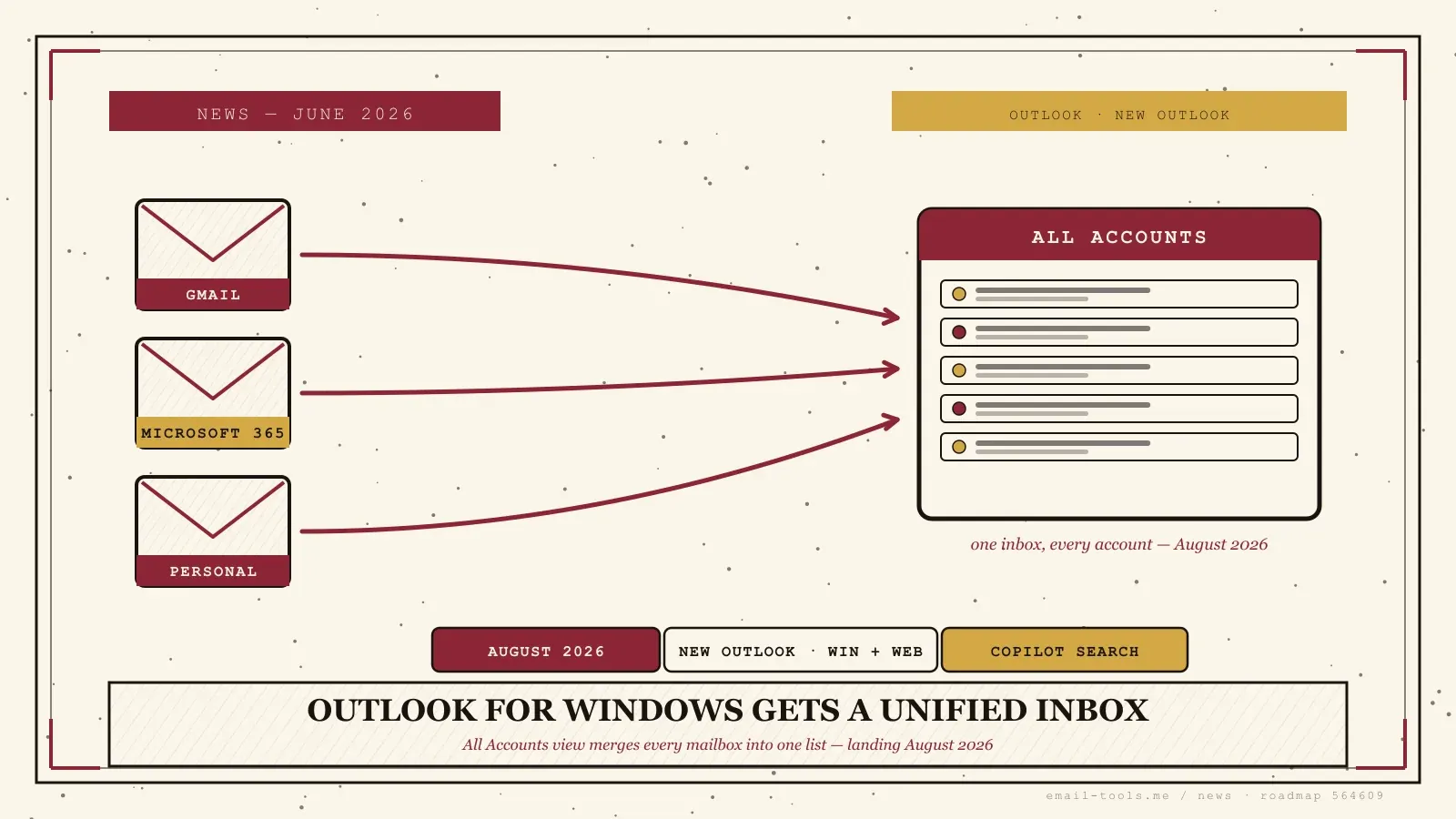
Microsoft has finally confirmed it: the All Accounts view — a true unified inbox — is coming to the new Outlook for Windows in August 2026. Reported by Windows Latest on June 13 and tracked as roadmap item 564609, it lets you read every account in one list instead of clicking between mailbox silos. It’s a feature Outlook for Mac and mobile have shipped for years — and one Windows users have been asking for just as long. Here’s exactly what’s coming and what isn’t.
What the Outlook unified inbox actually does
The All Accounts view shows mail from every connected account in a single combined inbox without merging the accounts themselves. You can read, delete, move, archive, and mark messages across all your mailboxes from one list, while each account stays separate underneath.
This is the unified inbox people mean when they say “unified inbox”: one stream, every account, no switching. According to fdaytalk, the feature lands in August 2026 under general availability with no preview period, covering the new Outlook for Windows and Outlook on the web. Classic Outlook is not included. Crucially, your accounts are not actually merged — Microsoft is only changing how the mail is displayed, so each mailbox keeps its own structure, rules, and server. If you’ve ever wanted to triage a personal Gmail, a work Microsoft 365 account, and a side-project address without bouncing between three folders, that’s the entire pitch.
What’s missing at launch — and what’s coming later
At launch the unified view ships with Copilot, but immersive search is tuned to your primary account only; true cross-account search is planned for later in 2026. Shared mailboxes also can’t be added to the All Accounts view in the first release.
So the day-one experience has two real caveats. First, search: the Neowin and M365 Admin write-ups both note that Copilot’s immersive search covers only your primary account initially, with cross-account search slated as a follow-on update. You get a combined view first, a combined search box later. Second, shared mailboxes — the team and support inboxes a lot of people genuinely live in — can’t be folded into the All Accounts view yet. For solo multi-account users that’s a non-issue; for anyone running a shared support queue, it’s the line to watch. The All Accounts view is also one of five features in the same June roadmap push: Windows Latest lists .PST import in July 2026, plus mail merge and favorite-folder quick access targeted for September.
Why this matters for how you handle email
A unified inbox closes one of the longest-standing gaps that pushed Windows users toward third-party clients. If you’ve juggled multiple accounts in Outlook, August 2026 is when the desktop app stops making you switch — though heavy shared-mailbox users should wait for the follow-on releases.
I run several accounts across different clients, and the lack of a real unified inbox is exactly why I kept reaching for other apps on Windows — a combined view is table stakes once you pass two accounts. Microsoft adding it natively removes a genuine reason people left Outlook on the desktop, and it lines up with the steady stream of new-Outlook features the company has shipped this year, from the two-year offline sync window to external-sender tags in inbox rules. If you’re weighing whether the new Outlook has finally caught up — or whether the July 2026 price increases make a switch worth considering — a working unified inbox shifts the math. And if you’d rather not wait, a dedicated Windows email client has offered this for years; August just brings Outlook in line.

Alexis Dollé, email expert for 10+ years. Founder of Email Tools. I test every email client and utility myself, then write about them the way I’d explain them to a friend — no marketing fluff, no sponsored rankings, every claim sourced.
LinkedInFrequently asked questions
When does the Outlook All Accounts view arrive on Windows? — August 2026, no preview
Microsoft has it slated for August 2026 on the new Outlook for Windows and Outlook on the web, shipping straight to general availability with no preview period, per roadmap item 564609. As with most Microsoft 365 rollouts, it arrives in waves, so the exact day you see it depends on your tenant and update channel.
Does the All Accounts view merge my mailboxes? — no, only the display is combined
No. The unified inbox only combines how your mail is displayed — each account stays separate underneath. You read, delete, move, archive, and mark messages from one list, but the accounts are never actually merged, so nothing changes about how your mail is stored or which server it lives on.
Which Outlook versions get the unified inbox? — new Outlook for Windows and web
The new Outlook for Windows and the web version. Classic Outlook for Windows is not included in this feature. If you’re still on classic Outlook, the All Accounts view is one more item on the list of new-Outlook-only features Microsoft is using to nudge people across.
Can I search across all my accounts at once? — not at launch
Not at launch. The first release ships with Copilot and the immersive search experience tuned to your primary account only. Microsoft says cross-account search is planned for a later update in 2026. So on day one you get a combined view, but a single search box spanning every account comes afterward.
Can I add a shared mailbox to the All Accounts inbox? — not initially
Not initially. Shared mailboxes can’t be added to the All Accounts view in the first release, which matters for anyone who lives in a team or support inbox. Microsoft has flagged broader scenarios — including shared mailbox support and cross-account search — as follow-on work rather than launch features.
Why is this a big deal if Mac and mobile already had it? — Windows waited years
Because Windows desktop users have waited years. A unified inbox has been standard on Outlook for Mac and Outlook mobile for a long time, and Windows users either juggled separate account folders or switched to a third-party client to get one combined view. This closes a gap that pushed people away from Outlook on the desktop.
Sources
- Windows Latest — “Microsoft confirms major New Outlook update with All Accounts view, mail merge, .PST and more”, 13 June 2026 (All Accounts/unified inbox view rolling out August 2026; does not merge mailboxes; delete/archive/move/mark across mailboxes; Copilot immersive search surfaces All Accounts content; cross-account search planned later in 2026; shared mailboxes cannot be added in first release; .PST import July 2026; mail merge and favorite-folder quick access September 2026)
- fdaytalk — “Outlook Unified Inbox Coming to Windows in August 2026”, 30 May 2026 (roadmap ID 564609; August 2026 general availability with no preview; new Outlook for Windows and web; classic Outlook excluded; accounts not permanently merged; Copilot ships with initial release; immersive search primary account only at launch, cross-account search in later releases; read/delete/move/archive/mark across accounts; feature available on Outlook for Mac and mobile for years)
- Neowin — “Microsoft is finally bringing All Accounts view to Outlook on Windows” (All Accounts view lets users see mail from multiple accounts in a single inbox without merging accounts; unified inbox long available on Outlook for Mac and mobile; Windows users previously relied on workarounds or third-party clients)
- M365 Admin (HandsOnTek) — “Outlook: All Accounts view (Unified Inbox) brings your email into a single inbox view” (combined inbox view across multiple accounts; Copilot/immersive search integration; cross-account search and shared mailbox support flagged as later releases)